Create Your Own Flashcards with Flipwise GPTs
Create study cards quickly and easily using Flipwise and ChatGPT! With just a few simple conversations, you can build your own flashcard deck without any complex steps. ✨
📌 Step 1: Prepare the Flipwise App
If you haven't installed the app yet, please do so first.
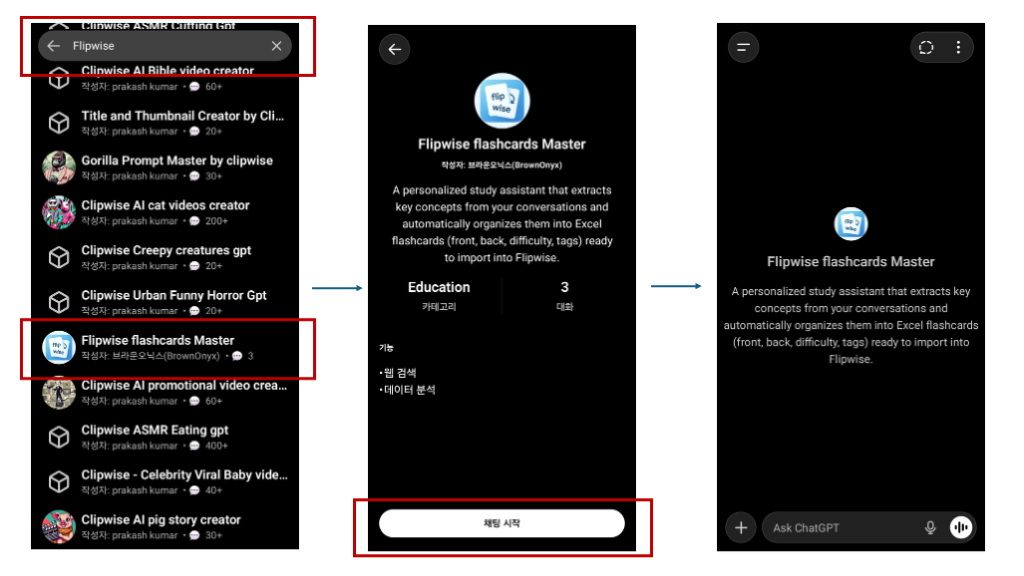
🤖 Step 2: Access Flipwise GPTs
It's time to ask ChatGPT to create flashcards for you.
Or search for 'Flipwise' in ChatGPT's 'Explore GPTs'.
📚 Step 3: Enjoy Learning
Chat with 'Flipwise flashcards Master' about any topic you want to study.
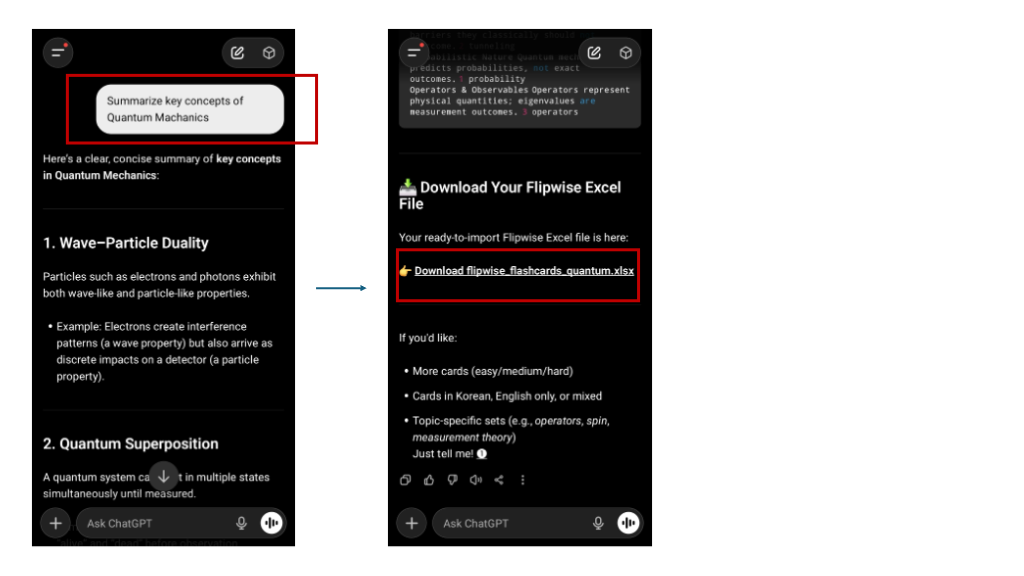
"Teach me essential Spanish phrases", "Summarize key concepts of Quantum Mechanics", etc. Anything works!
🪄 Step 4: "Make Flashcards!"
When you're finished studying, just say the magic words:
"Create flashcards with this content."
ChatGPT will organize your learning materials and provide them as an Excel file (.xlsx). 🎁
📲 Step 5: Import to Your Phone
This is the most important step! Follow along carefully.
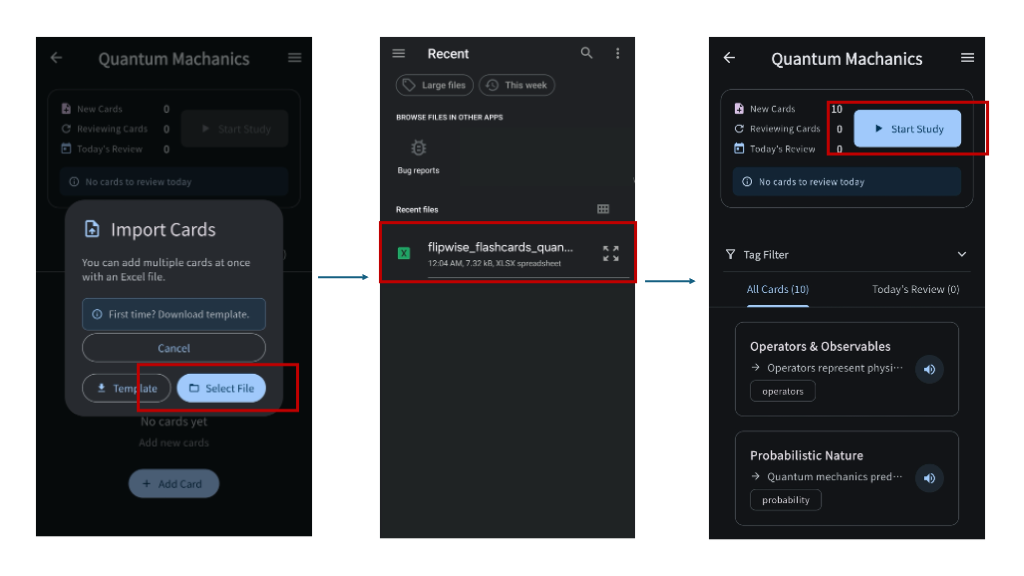
- 1. Download the Excel file created by ChatGPT to your phone.
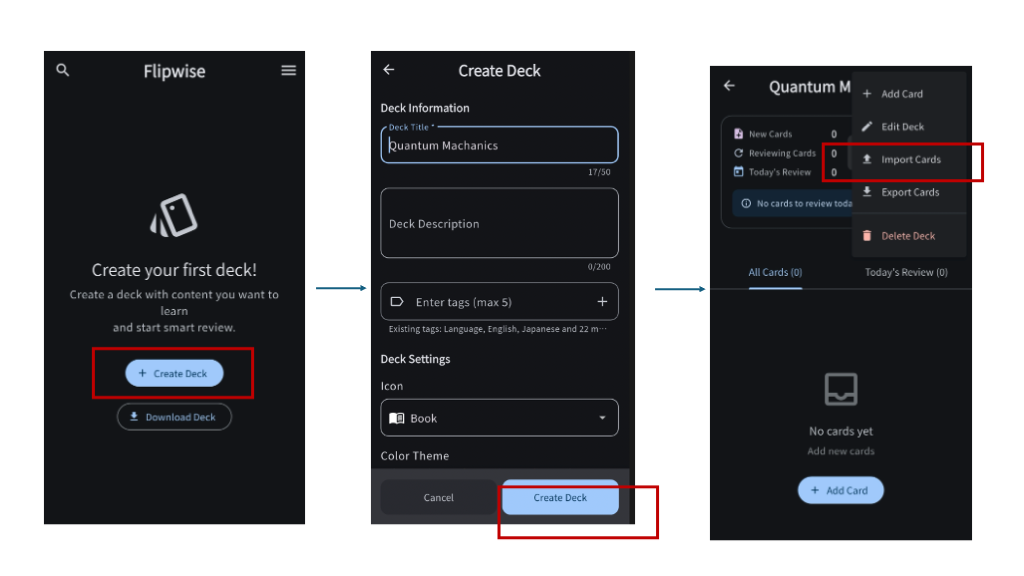
- 2. Open the Flipwise app.
- 3. Create or select a Card Group (Deck) into which you want to save the cards.
- 4. Tap the menu (⋮) in the top right corner and select [Import Cards].
- 5. Tap [Select File] and choose the downloaded Excel file. That's it!
💡 Pro Tip:
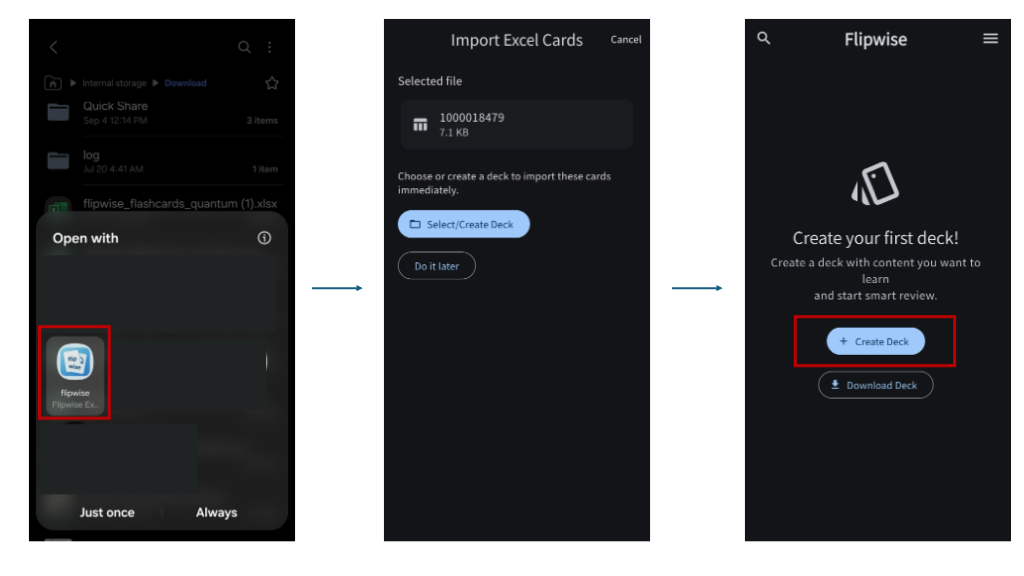
While you can open the downloaded Excel file and select 'Open with Flipwise', using the [Import] feature inside the app is the most reliable method.